· Pavel
How To Create A Store Locator For Shopify 2026
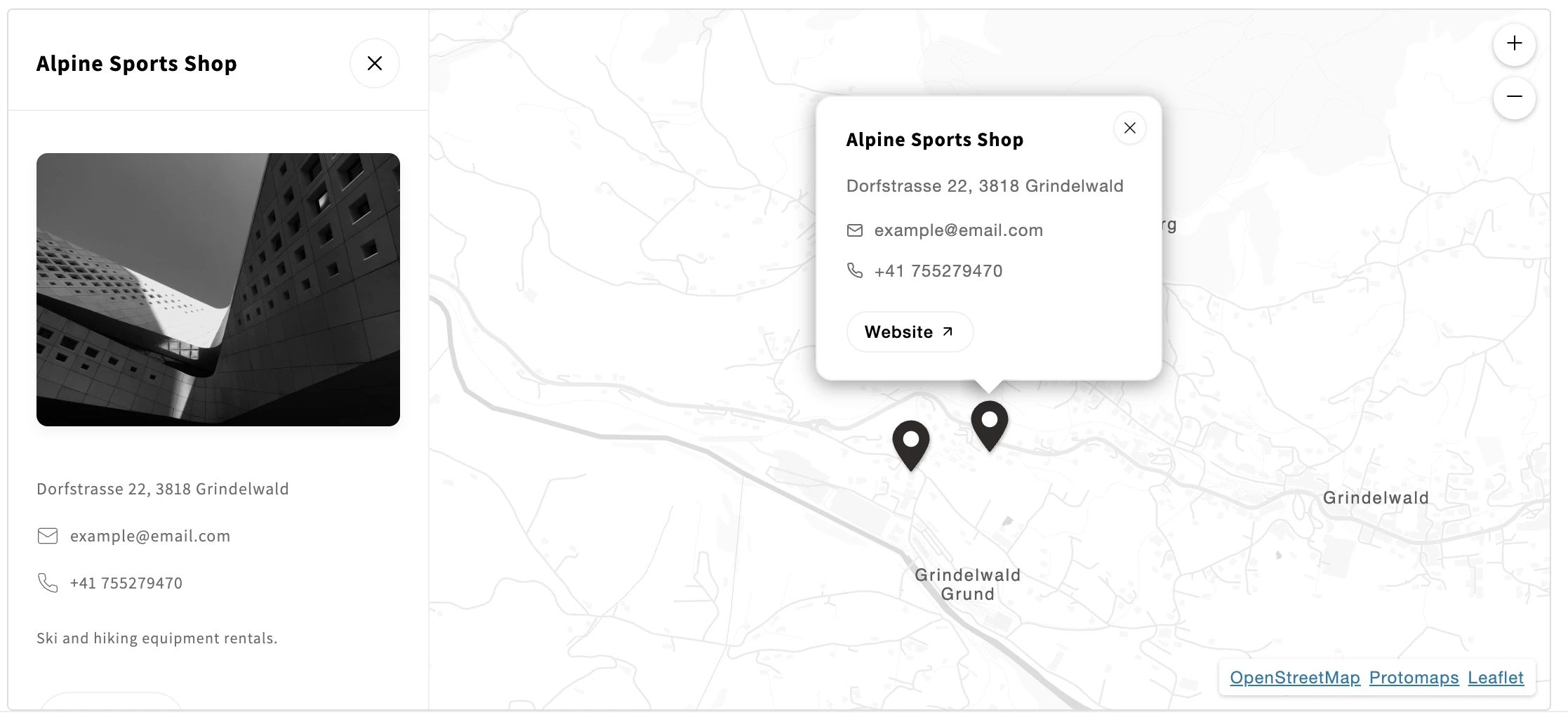
Setting up a store locator Shopify merchants can rely on doesn't have to be complicated. In this guide, you'll learn how to create a fully functional store locator for your Shopify store — no coding or API keys required.
Why Your Shopify Store Needs a Store Locator
If you sell through physical retail locations — whether your own shops, partner stockists, or pop-up events — a Shopify store locator helps customers find you. Without one, potential buyers land on your site, can't figure out where to shop in person, and leave.
A good store locator app for Shopify does more than just list addresses. It lets customers search by location, see results on an interactive map, and get directions — all without leaving your site. For brands with international reach, multilingual support ensures every customer sees location details in their own language.
Installing Store Seek Store Locator
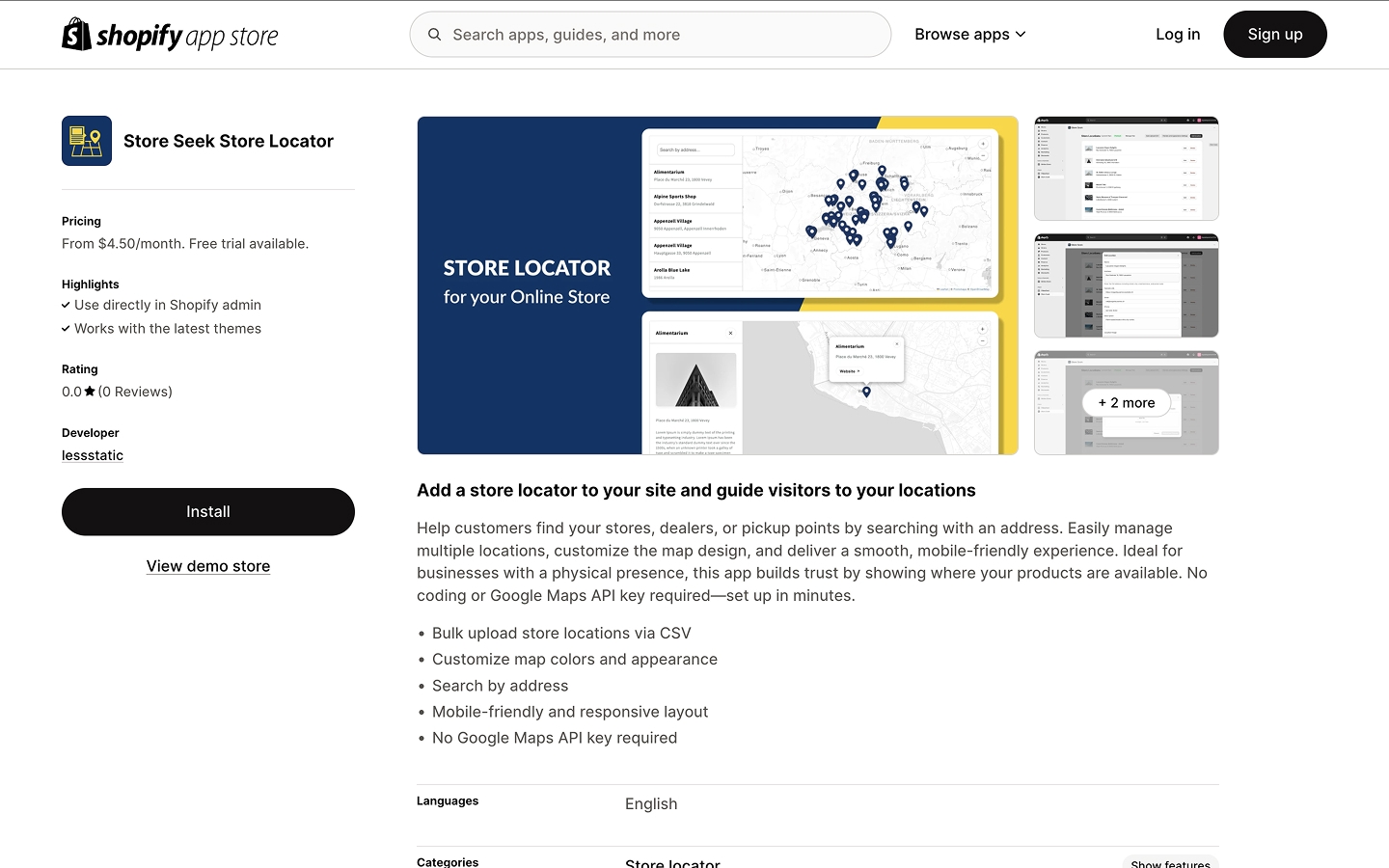
To get started, navigate to the Store Seek Store Locator page on the Shopify App Store and install the app to your store.
Create Your Locations
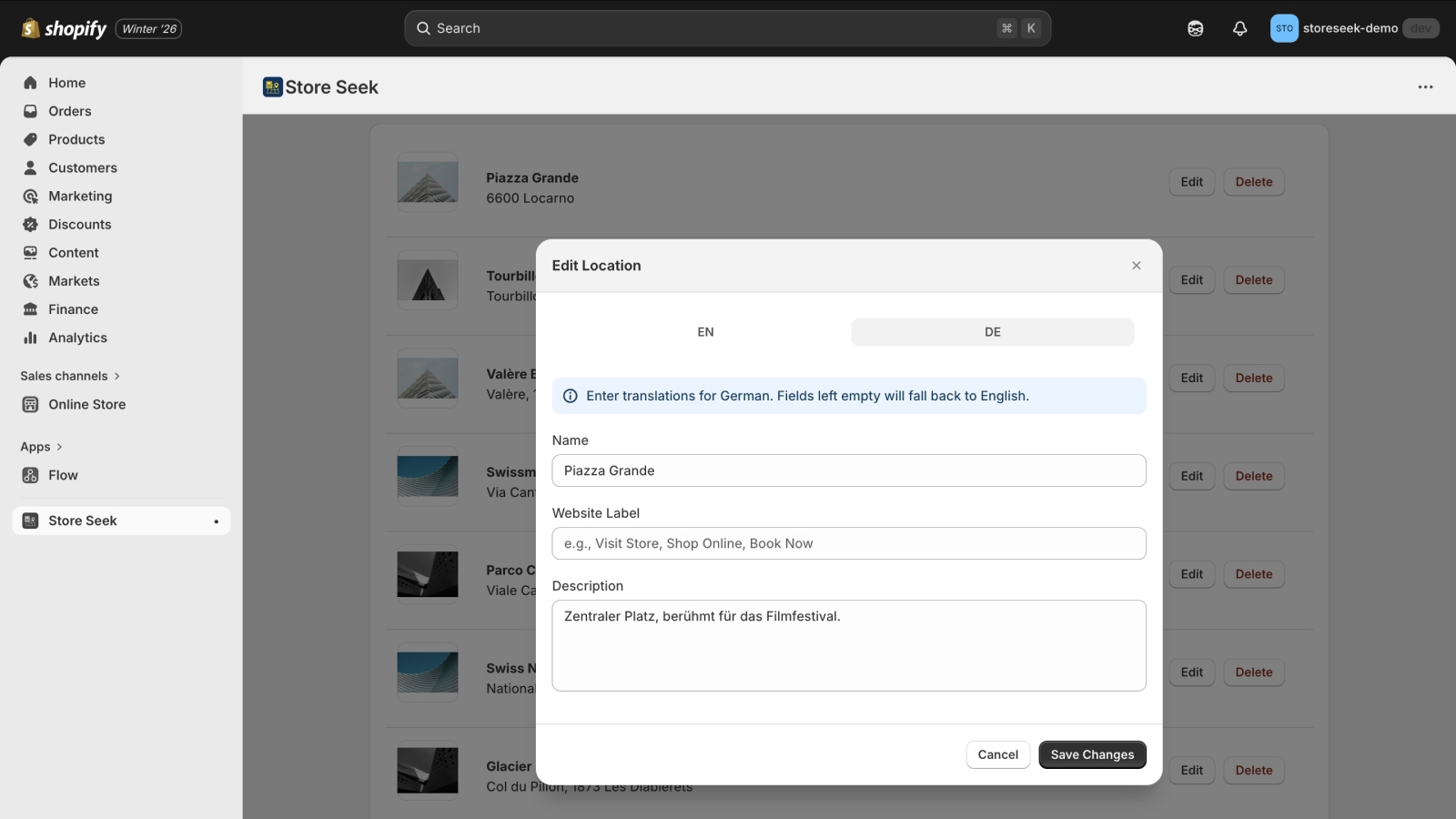
Click the "Add Location" button in the Store Seek Store Locator dashboard and fill out the form in the popup to create your first location. The app supports multiple languages — use the language tabs (e.g., EN, DE) to enter translations for each location. Fields left empty will fall back to the default language.
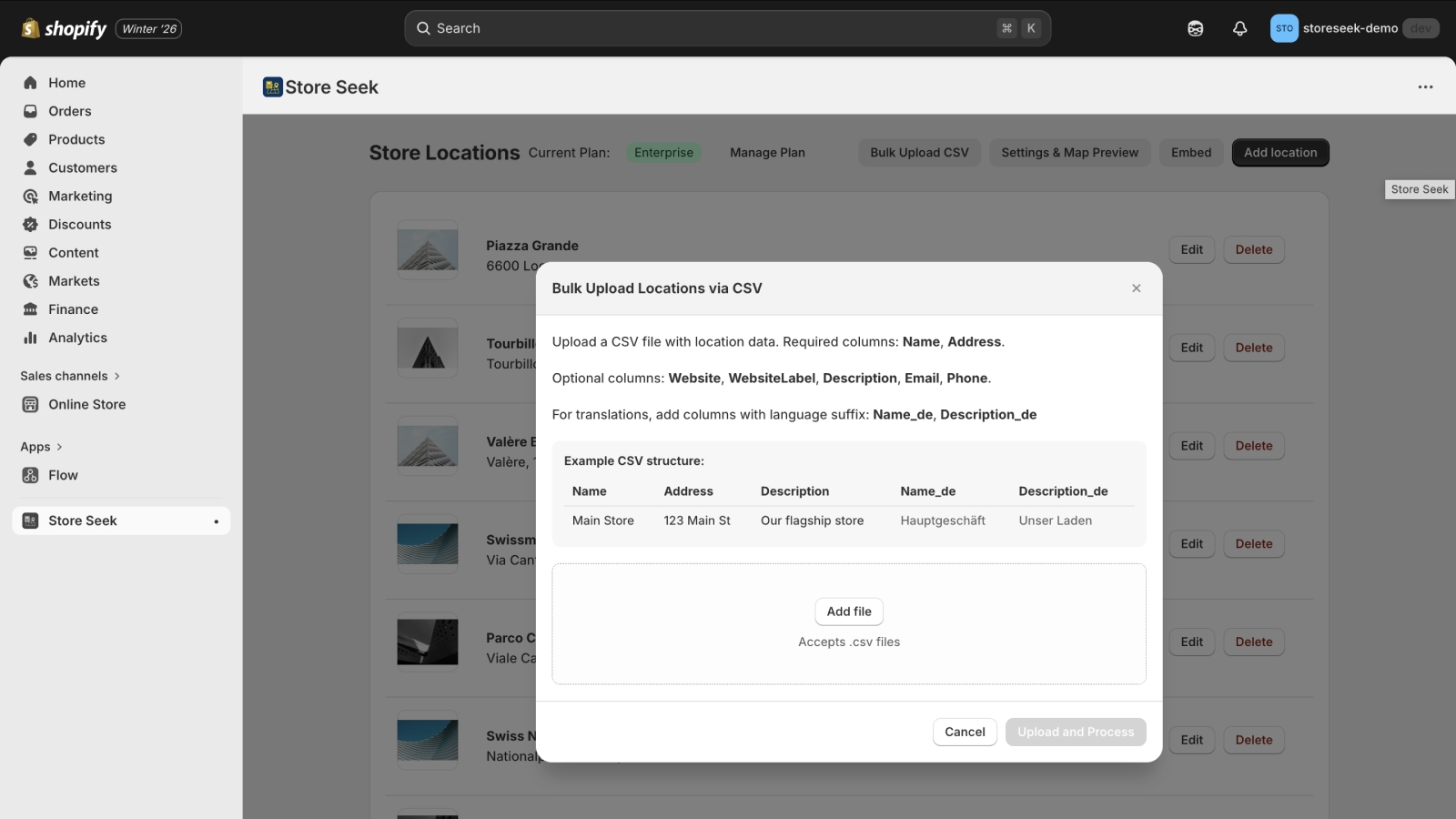
To create multiple locations at once, use the bulk upload feature in Store Seek Store Locator. Upload a CSV file with the following columns: Name, Address. Optional columns include: Website, Website Label, Description, Email, and Phone. For multilingual stores, add columns with language suffixes like Name_de, Description_de for German translations (or _fr for French, etc.).
Adjust the Appearance of the Store Locator
After adding your locations in the Store Seek Store Locator, click on the "Settings & Map Preview" button to see a live preview of your store locator widget.
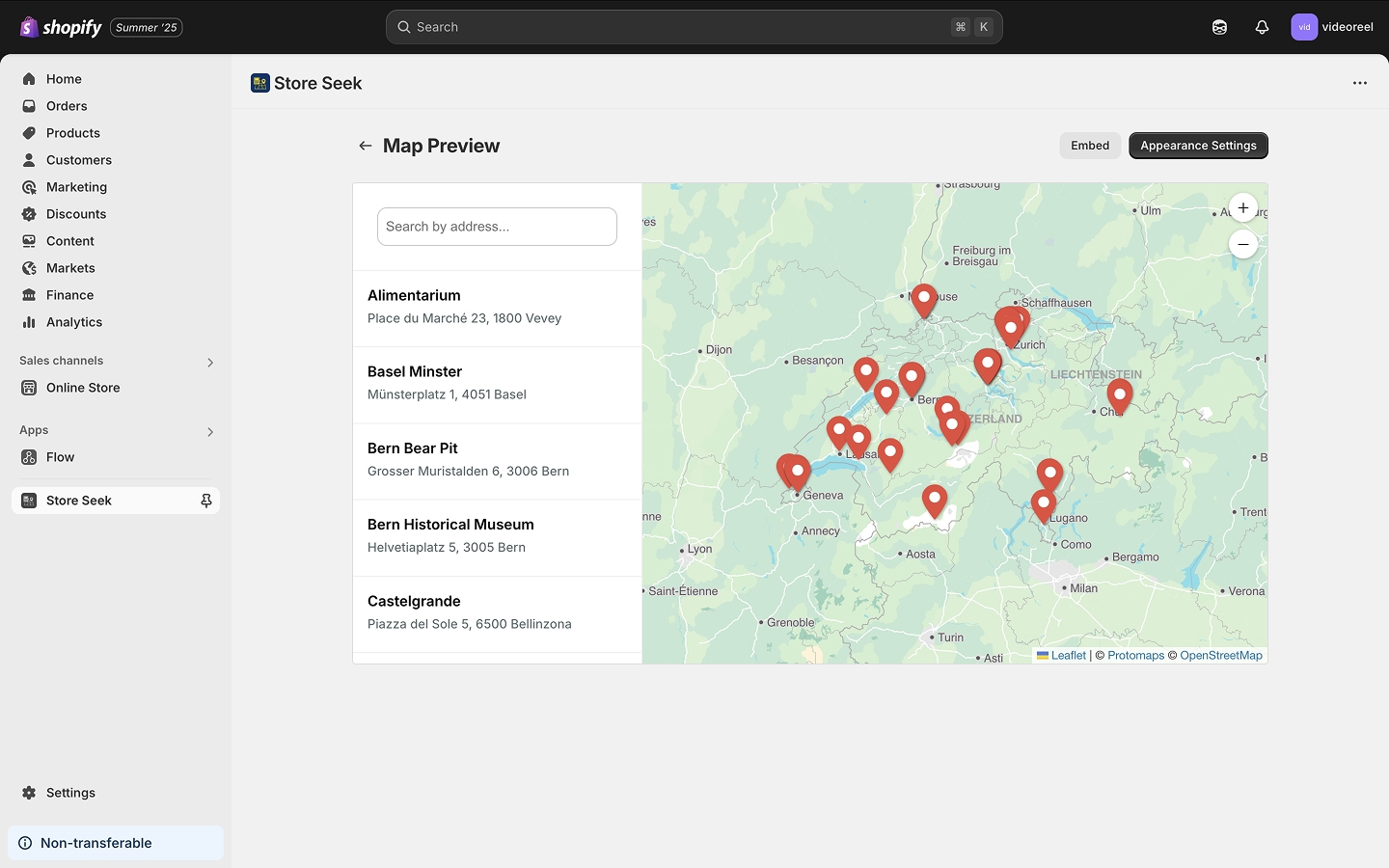
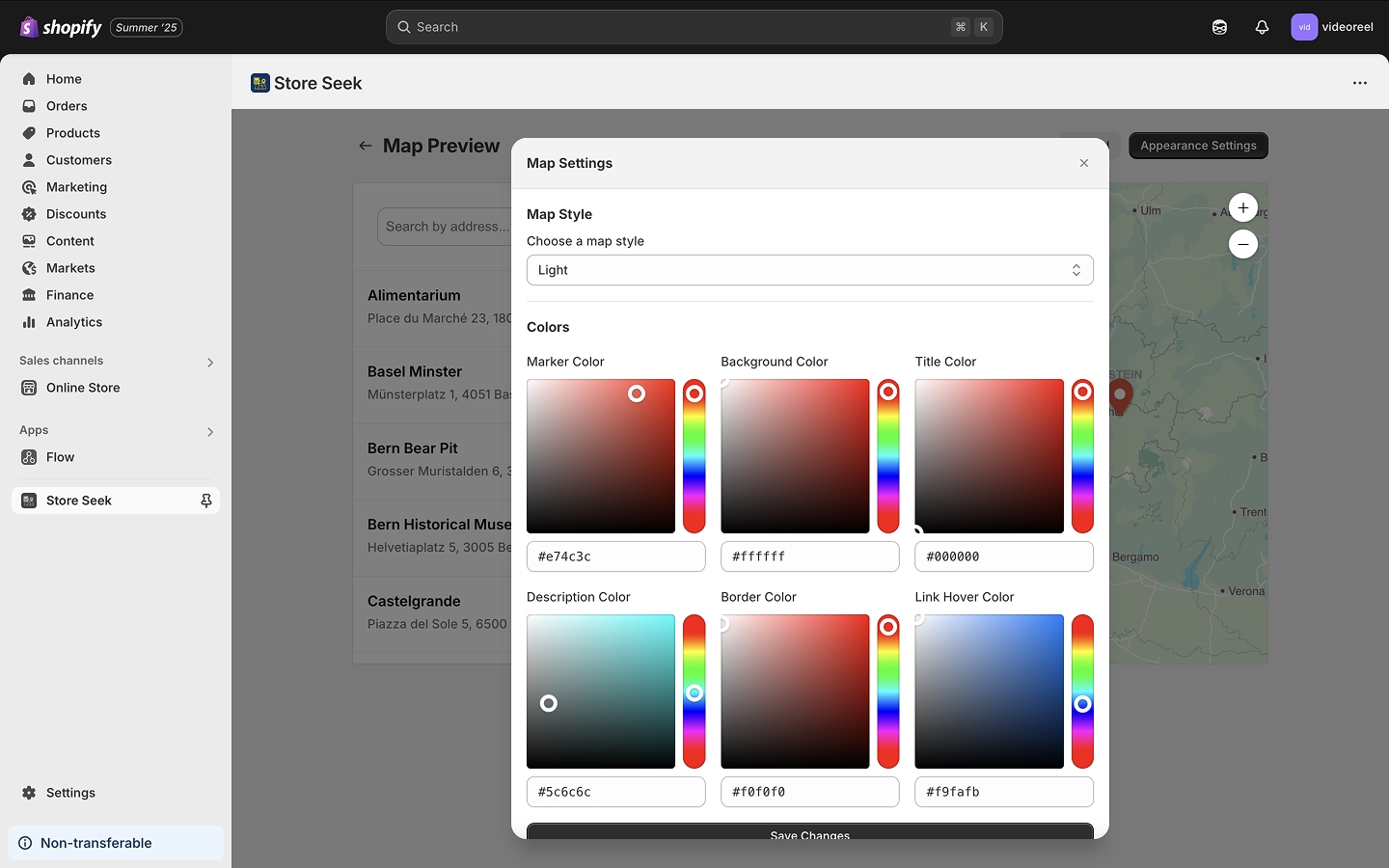
To customize the design, click on the "Appearance Settings" button. In the popup, you can change the widget colors and choose a map style that fits your brand.
Embed the Store Locator into Your Shopify Store
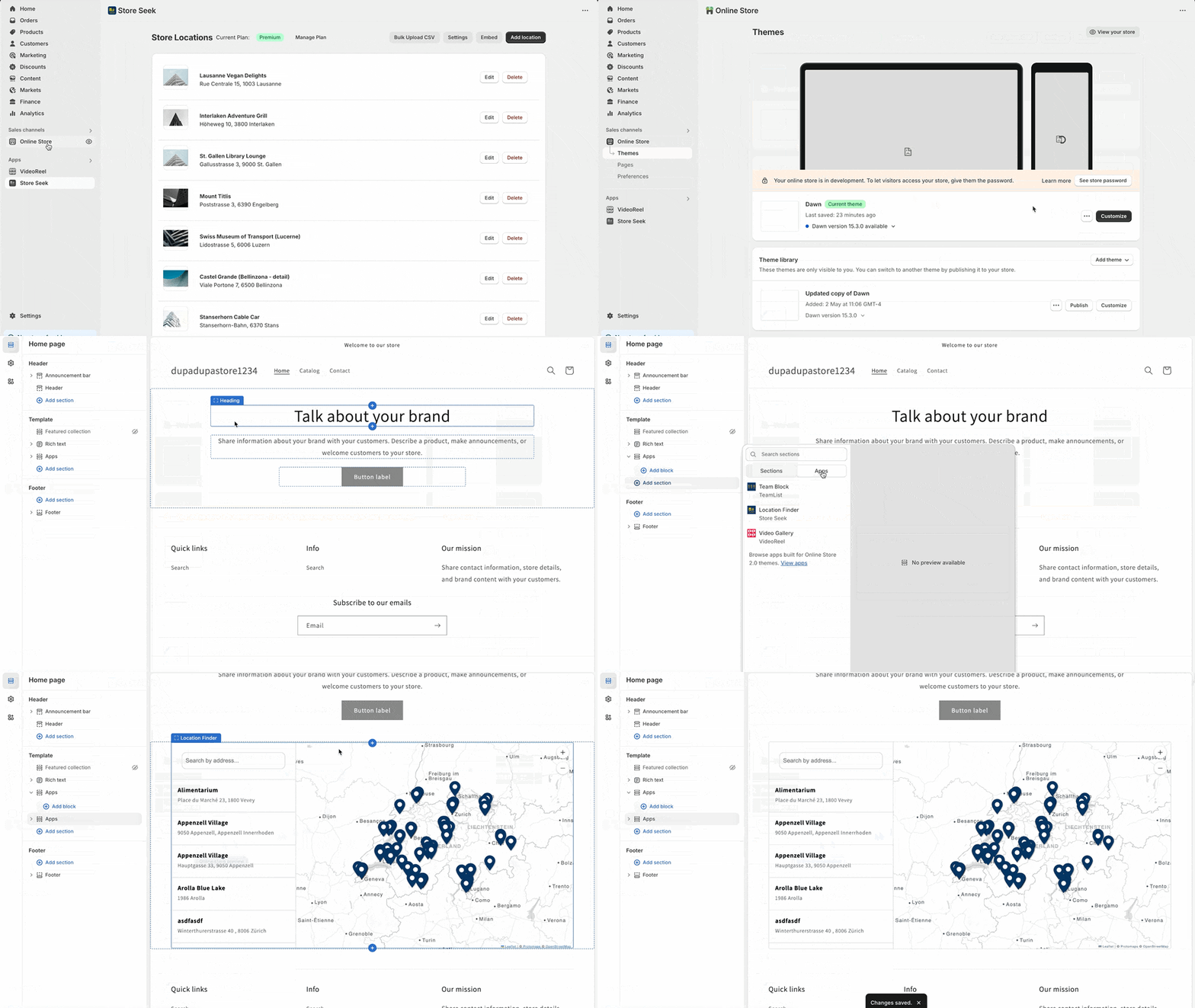
Once you're happy with your locator setup in Store Seek Store Locator, it's time to add it to your storefront. The easiest way is through the Shopify theme editor using app blocks:
- Go to your Shopify Theme Editor
- Click "Add section"
- Select "App embeds"
- Choose "Store Seek Store Locator"
- Save your changes
Multilingual Support
Store Seek Store Locator is fully multilingual. The store locator widget automatically displays in the language that is currently active in your Shopify store. When editing locations, you can switch between language tabs to add translations for location names and descriptions. This ensures your international customers see store information in their preferred language.
No API Key Required
Unlike many other store locator apps, Store Seek Store Locator does not require an API key. This means you can launch your store locator without dealing with complicated API billing, quotas, or setup steps. The app uses a modern, high-performance map system that works worldwide — making your store locator setup quick, easy, and hassle-free.
Install Store Seek Store Locator
Want to learn more about Store Seek before installing? Check out the full feature overview and pricing.